


Gloo invested in and eventually acquired an AI-enabled content creation product built on a different tech stack than Gloo's platform. Rather than maintain a separate product long-term, the team decided to rebuild the core features of the product on Gloo's platform as a new product called Content Studio.
After the MVP was launched, all previous users needed to be migrated from the old product onto Content Studio. During this time we were also quickly adding features to reach feature parity with the original product as soon as possible. As the sole designer on this initiative, I led the end-to-end design of the migration experience from account-level permissions to billing transitions and progress visibility while coordinating closely with a product manager, legal, accounting, and engineering to meet the requirements and help Gloo remain compliant as public company.
Running two products with overlapping functionality was unsustainable from an engineering and support standpoint. The business decision was to rebuild core church.tech functionality on Gloo's stack, reach feature parity, and then migrate every existing account. The stakes were high. Hundreds of active accounts had established billing, promotional discounts that had to be honored, content libraries full of user- and AI-generated content, and years of weekly video and audio uploads that all needed to transfer without disruption. Keeping the revenue from the acquired product was critical, so the worst possible outcome was losing users in the switch. That made the migration part marketing campaign and part product change. We had to move every account safely and make users glad to come along, all while the company was trying to consolidate its product line and grow revenue.
Beyond the technical mechanics of moving data, various user-facing problems had to be solved simultaneously:
- Pre-launch communications: Prior to migration, users needed to be notified of the upcoming change and we needed to create excitement for what was to come in Content Studio and make users want to make the switch, not feel like it was something that was happening to them.
- Permissions control: Only account admins should be able to initiate a migration, requiring new permission logic surfaced clearly in the UI
- Progress transparency: Users needed to see that their content was migrating successfully, not left wondering if something broke. They also needed to understand that once they started the migration their existing account would go into read-only mode.
- Plan and billing clarity: Users needed to understand their new plan and what the pricing would be, have existing coupon codes and discounts correctly applied, and see a clear cutover point between old and new billing
- Billing history access: Users needed continued access to old billing statements even after their account moved to the new system
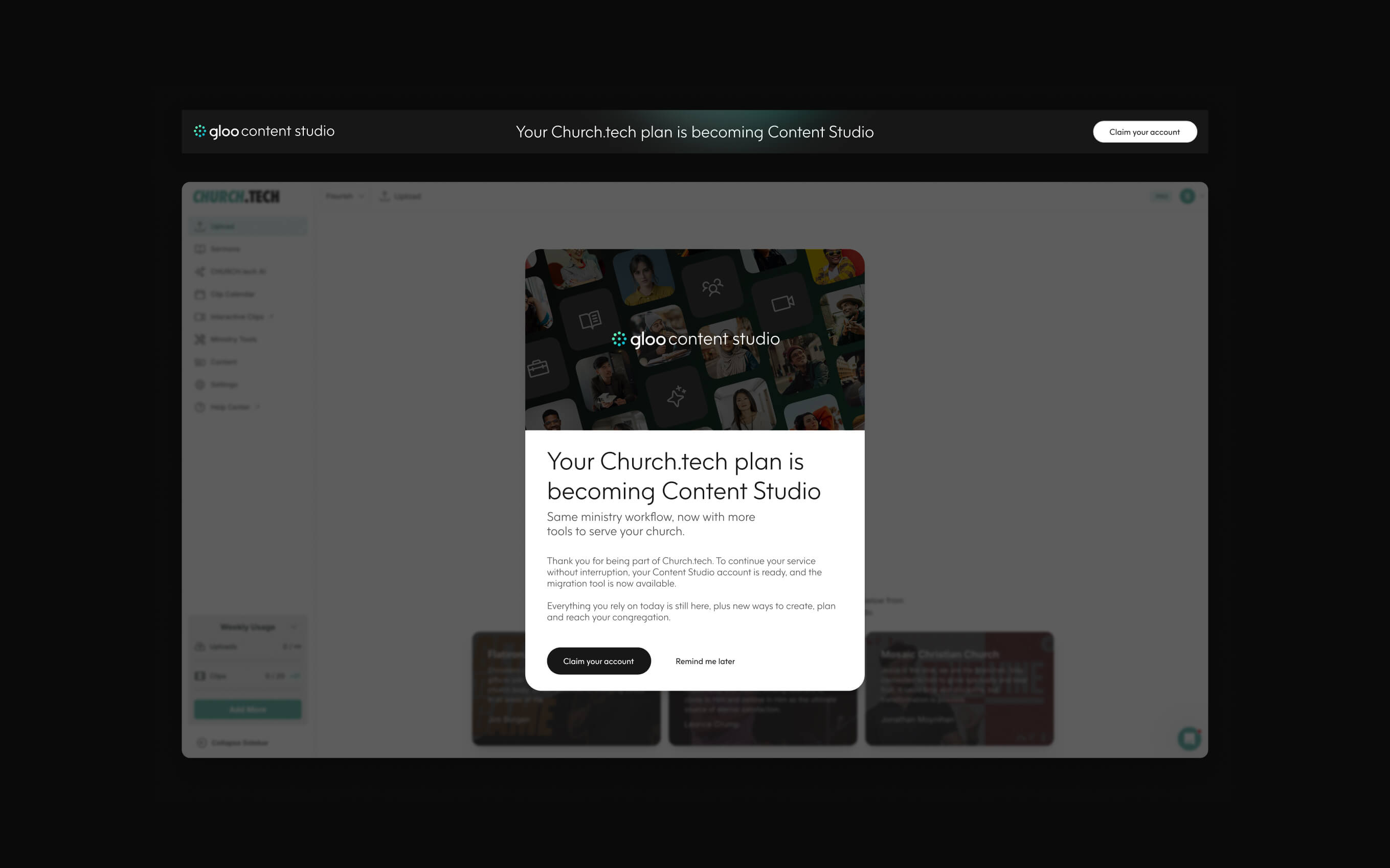

I designed a custom migration flow and UI system built directly into Content Studio, covering every state a user could encounter: migration tool not yet ready, tool ready and migration not started, tool ready but user doesn't have access to migrate, migration in progress, and edge cases like a user attempting to generate new content mid-migration. Each state needed its own messaging, visual treatment, and next-step guidance so users were never left guessing about account status.


.png)